Tiny Skies Fighter Jet Helicopters Tiny Skies Mobile Controls
Phone and tablet tips for the same shared flight scheme used on PC.
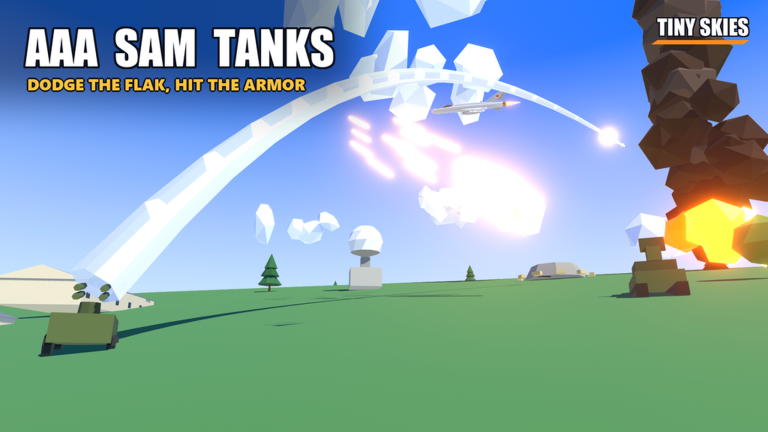
Tiny Skies Fighter Jet & Helicopters advertises easy mouse aim on PC and phone-friendly controls on mobile. The actions match the Controls guide—throttle, guns, secondary weapons, flares, map, gear—but your thumbs replace keyboard edges. This page helps mobile pilots survive takeoffs and dogfights without fighting the UI.
Mindset: same actions, smaller screen
Everything you learn here still maps to:
- Flight / aim
- Guns
- Space-equivalent secondary fire
- Weapon cycle
- Throttle up / down
- Flares
- Map
- Scores
- Landing gear
If a button label differs slightly after a Roblox UI update, match by function, not by PC key name. The Getting Started Flight School still teaches the physics.
Recommended device setup
- Play in landscape.
- Enable a performance graphics preset if aim stutters mid-merge.
- Clean the screen—smudges hide missile warnings.
- Use headphones for audio missile cues when visual spam peaks.
- Consider a clip-on cooler for long Strike grinds; thermal throttling feels like input lag.
Thumb layout habits
- Assign mental zones: movement/aim on one side, weapons/flares on the other.
- Practice flare location until it is reflex—mobile deaths often happen because
Xequivalent is under another finger mid-panic. - Cycle weapons before the attack run, not during the dive.
- Open map in safe moments; pinching UI during a merge causes crashes into terrain.
Takeoff on touch
- Spool throttle to Flight School’s ~150 cue.
- Ease pitch—touch overshoot is common.
- Raise gear once climbing.
- Level off and re-check weapon selection.
If you repeatedly stall, switch to free F-5E or Huey and do five runway-only drills before queuing ranked Dogfight.
Combat tips unique to mobile
- Short taps for guns beat smearing the entire screen.
- After firing a missile, immediately prepare flare posture—enemy return fire is fast.
- In helicopters, exaggerate patience; touch jitter is harsher on rotary wings (Helicopter Strike).
- In Free-for-All, glance map more than PC players—third parties arrive from off-screen edges you cannot peripheral-vision easily.
Mode notes
| Mode | Mobile focus |
|---|---|
| Dogfight | Flare reflex + guns lead |
| Strike | Pre-select rockets/bombs; egress early |
| Naval | Confirm anti-ship store; careful deck throttle |
| FFA | Map spam; avoid prolonged low-energy turns |
Progression advice for phone mains
Mobile aim can lag PC veterans, so lean on solid airframes once you understand free trainers. Use Codes and Earn Credits to unlock a forgiving S/A jet or attack heli from the Tier List. Auto Rearm from Shop, VIP & Upgrades reduces fiddly rearm taps between Strike passes.
Avoid depending on scripts on mobile executors—they break often and add ban risk without teaching flare timing.
Troubleshooting
- Input delay: lower graphics, close background apps, rejoin server.
- Cannot find flares: customize / relearn button positions in a quiet Flight School replay mindset match.
- Constant stalls: throttle discipline; stop yanking full pitch on takeoff.
- UI covers targets: adjust Roblox touch shift settings if available; otherwise change camera distance habits.
Related reading
Mobile Tiny Skies is absolutely viable. Landscape, calm thumbs, and the same fundamentals as PC will get you medals.
Frequently Asked Questions
Quick answers about jets, helicopters, credits, and match modes.
Can I play Tiny Skies on phone?
Yes. The game supports phone controls mapped to the same actions as PC. Use landscape mode and practice takeoffs before ranked dogfights.
Why is aiming harder on mobile?
Touch precision and UI overlap make fine lead harder. Lower graphics lag, play landscape, and train guns on free F-5E matches.
Do mobile players need different aircraft?
Start on free trainers, then unlock stable S/A frames. Auto Rearm helps strike pilots who dislike frequent menu taps.
Where is the full PC key list?
See the Controls guide for the complete keyboard/mouse table that mobile actions mirror.