Tiny Skies Fighter Jet Helicopters Tiny Skies Scripts
Community loadstrings, feature notes, and safety basics for Roblox executors.
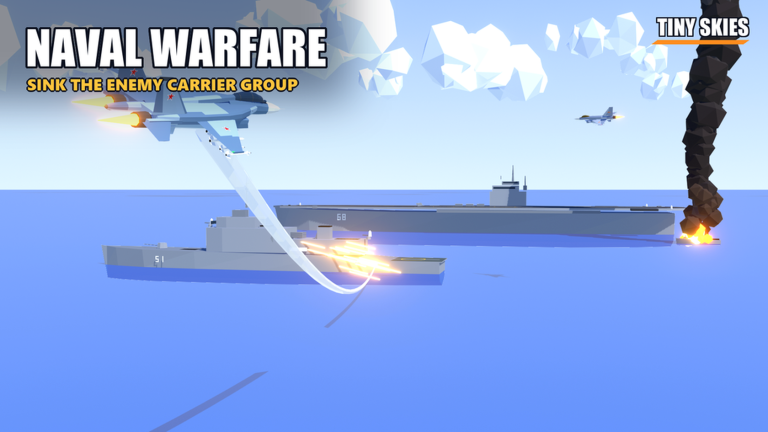
This Scripts hub collects community tooling players discuss for Tiny Skies Fighter Jet & Helicopters on Roblox. Scripts are unofficial client-side tools. Using them can violate Roblox Terms of Use and risk account penalties. This page exists so pilots understand what people share, what features usually appear, and how to stay safer if they experiment anyway. Prefer learning real mechanics through Controls, Weapons & Flares, and the Tier List—skill transfers across patches; scripts break.
What Tiny Skies scripts usually offer
Community scripts for this air-combat title tend to fall into a few buckets:
- Command menu / admin-style GUI — general utility panels (speed helpers, camera tools, server commands) often built on popular universal menus.
- Combat helpers — aim assists, ESP overlays, auto guns, auto missiles, auto flares, jammer helpers, and related automation for dogfights or strike runs.
- Economy shortcuts — auto-buy missiles, upgrades, or aircraft loops that spend Credits without manual Shop clicks.
- QoL launch tools — auto launch, auto rearm mimics, or foot/SAM related toggles during mixed ground-air moments.
Feature names change every upload. Always read the script card description before you paste anything into an executor.
Featured script notes (community)
Command Menu GUI
A common starter people paste for Tiny Skies sessions is a universal command menu loadstring that opens an admin-style GUI. Typical claims: quick commands, camera utilities, and session helpers while you fly free starters or premium frames like the F-22 and Su-57.
loadstring(game:HttpGet('https://raw.githubusercontent.com/EdgeIY/infiniteyield/master/source'))()Status flips with Roblox client updates. Treat “working” labels as temporary. If the menu fails to inject, update your executor and rejoin a fresh server.
Combat automation packs
Another class of Tiny Skies scripts advertises Aimbot, ESP, Auto Guns, Auto Missiles, Auto Flares, Auto Jammer, Auto Stinger, Auto Foot Shot, Auto SAM Fire, Auto Launch, plus Shop automation such as Auto Buy Missiles / Upgrades / Aircraft. These packs target the full weapons loop described on Weapons & Flares—heat-seekers, radar missiles, rockets, bombs, and guns across Strike, Dogfight, Free-for-All, and Naval.
Example pattern players share:
_G.autoExec = false
loadstring(game:HttpGet("https://raw.githubusercontent.com/iLove-yuri/leeeeesbian/refs/heads/main/homumado.lua"))()
Expect key systems, Discord invites, and frequent “updated yesterday” claims. Verify hashes yourself; never enter account passwords into key sites.
How players usually run scripts
- Install a compatible Roblox executor (popular names rotate: Delta, Fluxus, Codex, Wave, and others).
- Launch Roblox and join Tiny Skies.
- Copy the full loadstring from a trusted paste—not a shortened link that asks for logins.
- Paste into the executor editor and press Execute / Run.
- Toggle only the features you understand; disable auto-buy before testing so you do not dump code Credits.
Mobile executors exist but break more often mid-flight. PC testing is more predictable for hangar menus.
Safety and fair-play checklist
- Account risk is real. Automation and ESP can trigger moderation. Use alts if you experiment; never risk a main with limited UGC or Robux history you care about.
- Key systems are phishing magnets. Prefer keyless scripts. If a key gate asks for a password, stop.
- Antivirus false positives happen with executors—research the tool separately from Tiny Skies.
- Scripts do not replace fundamentals. Flare timing (
X), throttle (Shift/Ctrl), gear (G), and map checks (M) still decide fights. Read Dogfight Tactics and Helicopter Strike. - Economy scripts can waste BOMBERS Credits. Redeem codes first, then lock auto-buy off until you choose unlocks via Shop, VIP & Upgrades.
Why this wiki still teaches manual play
Patches like the November 2026 roster expansion and the Bombers Update reshuffle airframes, stores, and mid-match events. Scripts lag behind; pilots who understand free F-5E / Little Bird fundamentals adapt in one session. Use this hub as a catalog mirror, then invest practice time in Getting Started and Earn Credits.
Related hubs
- Codes — legitimate free Credits
- Players — medals and fair climb habits
- Updates — patch notes that break scripts
- Links — official Roblox page and community pointers
We do not guarantee any loadstring. Executor compatibility, detection windows, and game anti-cheat change without notice. When in doubt, fly clean and climb the hangar the intended way.
Frequently Asked Questions
Quick answers about jets, helicopters, credits, and match modes.
Are Tiny Skies scripts safe to use?
No script is fully safe. They can violate Roblox rules, expose you to malware via fake key sites, and risk bans. Prefer legitimate progression via codes, Flight School, and match grinding.
Do Tiny Skies scripts still work after updates?
Often not. Roster expansions, weapon changes, and Roblox client patches break loadstrings. Recheck after Updates notes land.
What features do combat scripts claim?
Common claims include aimbot, ESP, auto guns, auto missiles, auto flares, auto jammer, auto launch, and auto-buy helpers for missiles or aircraft.
Should beginners use scripts instead of learning controls?
No. Learn the shared control scheme first on free aircraft. Scripts hide bad habits and stop working when patches drop.